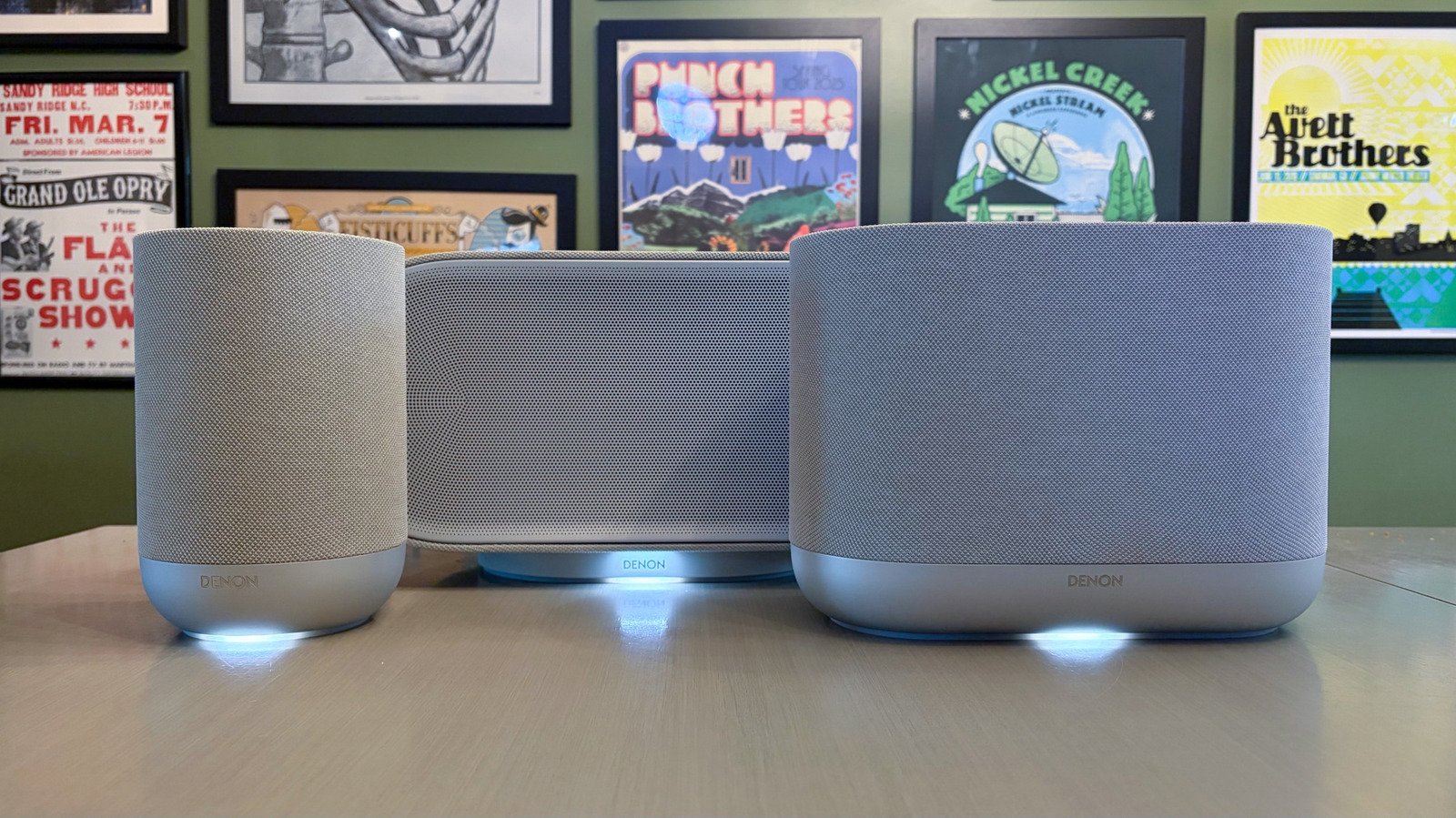
The Denon Home line isn’t new. The company already has the Home 150, Home 250 and Home 350 speakers on its roster, in addition to the Home 550 soundbar and Home Subwoofer. In other words, the company is no stranger to multiroom audio devices. To control all of those speakers, and the three new models, you use the HEOS app that works with compatible products from both Denon and Marantz (both companies are owned by Samsung subsidiary Harman).
Like the Sonos app, the HEOS app is where you do the initial setup and connection for the Home speakers. Once you sync your music streaming services, you can beam tunes to any of the Home speakers you own. The app also ports in local radio for free via TuneIn, so I was able to stream my regional NPR station with a single tap. The HEOS app will let you access any connected media servers as well as wired audio sources via USB and 3.5mm aux. Of course, there’s also Bluetooth and AirPlay support if you want to bypass the app completely.
From the Rooms menu in the HEOS app, you have the option to play music everywhere with a single tap of the “All Rooms” button. To remove one or more rooms from the group, you simply drag them out of the list. You can build group presets for any frequently used configurations too. What’s more, you have the option to control each room individually here as selecting a room will give you its media player and controls along the bottom of the UI.
The HEOS app doesn’t offer a room calibration tool like Sonos’ Trueplay, but the software does account for speaker placement before adjusting the sound. During the initial setup, the app will ask if a speaker is placed “away from walls,” “near one wall” or “near two walls.” Based on your answer, the audio is optimized for “accurate, balanced sound.” And yes, you can adjust this if you relocate the Home speakers later.
The app will let you select multiroom audio quality as well, with Normal and High options for increased reliability and increased fidelity (16-bit/44.1kHz) respectively. The latter setting is only recommended if your Home devices are wired with Ethernet or when they all have excellent Wi-Fi signals. Multiroom connectivity between the Home speakers is reliable and offers a seamless soundtrack as I move from room to room. Sometimes using multiple speakers throughout my house produces slight lag that comes across as a bit of reverb. With the Home 600, 400 and 200, I honestly couldn’t tell there were three different speakers playing music as I moved from my office to the kitchen and bedroom.
All three of these Denon Home speakers can be used in stereo pairs, although the Home 200’s smaller stature makes it best-suited for that. You would need a lot of shelf space in order to use two Home 400s or 600s like this. The trio all sport programmable Quick Select buttons on their control panels, putting commonly used content and settings just one press away. These essentially work like the buttons on a car stereo: Press and hold to store the current playback source, sound mode and audio settings. There’s also an Action Button on all three that summons a connected voice assistant without reaching for your phone.